I have a camper and I don't want to rent it out. Is it difficult?
Many people have a camper and think: "it would be nice to rent it out sometimes, but it must be really complicated." Phone calls at strange hours, negotiating the price, fear of someone damaging the vehicle, paperwork, an Excel calendar, and the risk of booking the same date twice. These are valid concerns. Fortunately, most of these problems can be automated.
Five concerns we hear most often
"I will constantly be taking phone calls"
The customer sees available dates, prices, and terms on your website, so most questions disappear before they call. They choose a date, see the price with extras, and make a reservation. Answers to common questions are added once in the FAQ section.
"I don't know how to calculate the price"
You set prices once: base rate, seasons (mid-season, summer), and extras like bedding or a bike rack. The system automatically calculates the price for the selected dates. For manual pricing, the assistant does it for you.
"What if someone damages the camper?"
There are three security measures:
- Deposit blocked on the client's card. You do not charge it, you just reserve the funds and release them after the return.
- Rental agreement accepted online, recording the name, time, and IP address.
- Check-in and check-out protocol with photos of the technical condition, odometer, and fuel level.
"My calendar will fall apart"
If the camper is also listed on portals, bookings from them go to one calendar, the system tells you where to block occupied dates and warns you when two dates overlap. Don't have time to set up accounts on the portals? We can configure them for you. You block your trips with one click.
"It probably requires a website and a developer"
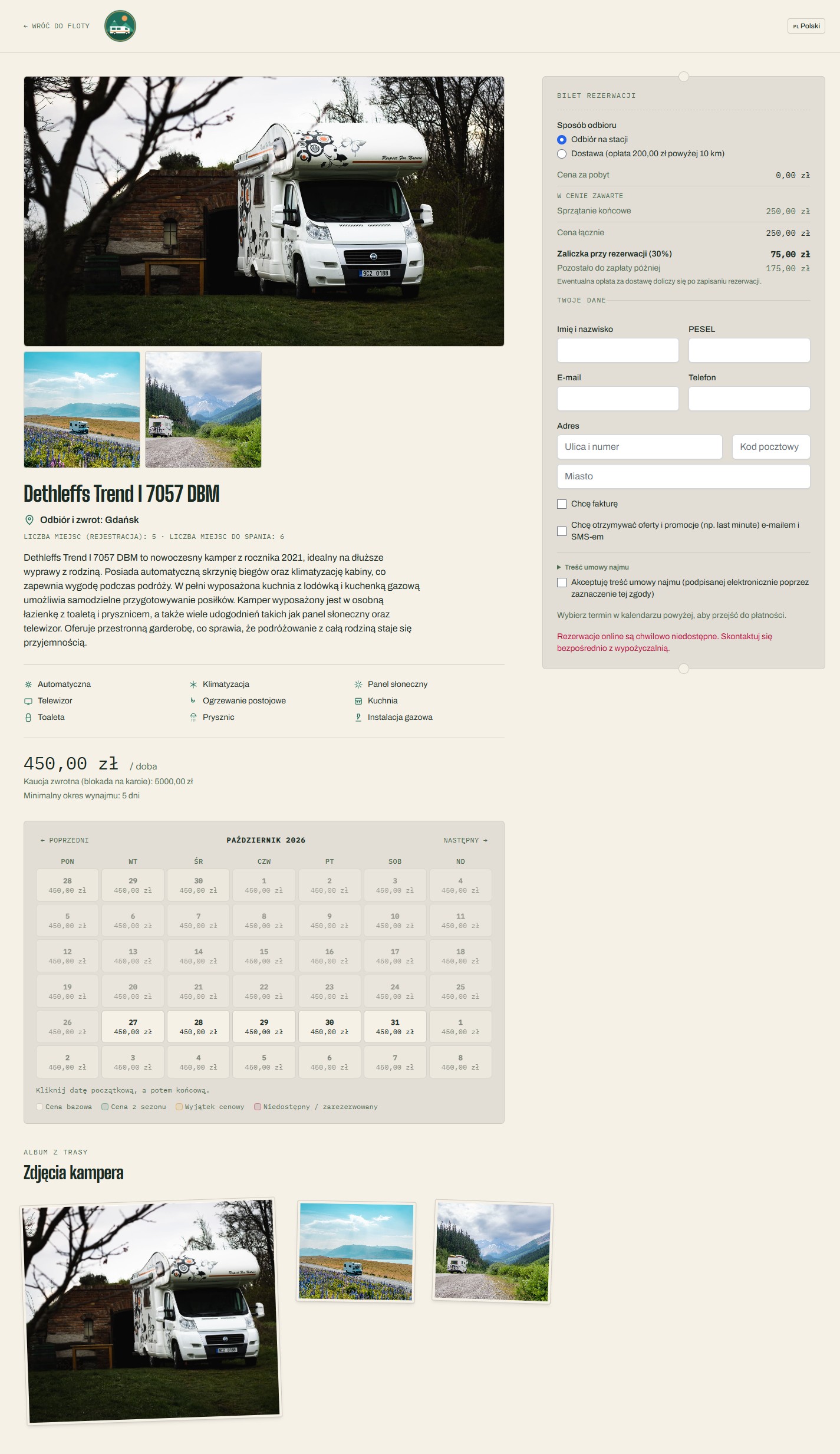
It does not. You get your own rental website right away. You can add photos from your phone, and the description, parameters, and equipment are pulled from your ad by AI. If you have them on Gumtree or Facebook, just paste the link.
How it looks step by step
-
Create an account. You go straight to adding a vehicle. No credit card required, 3 months for free.
-
Add a camper. Paste the link to the listing, and the system will fill out the form. You check and correct it.
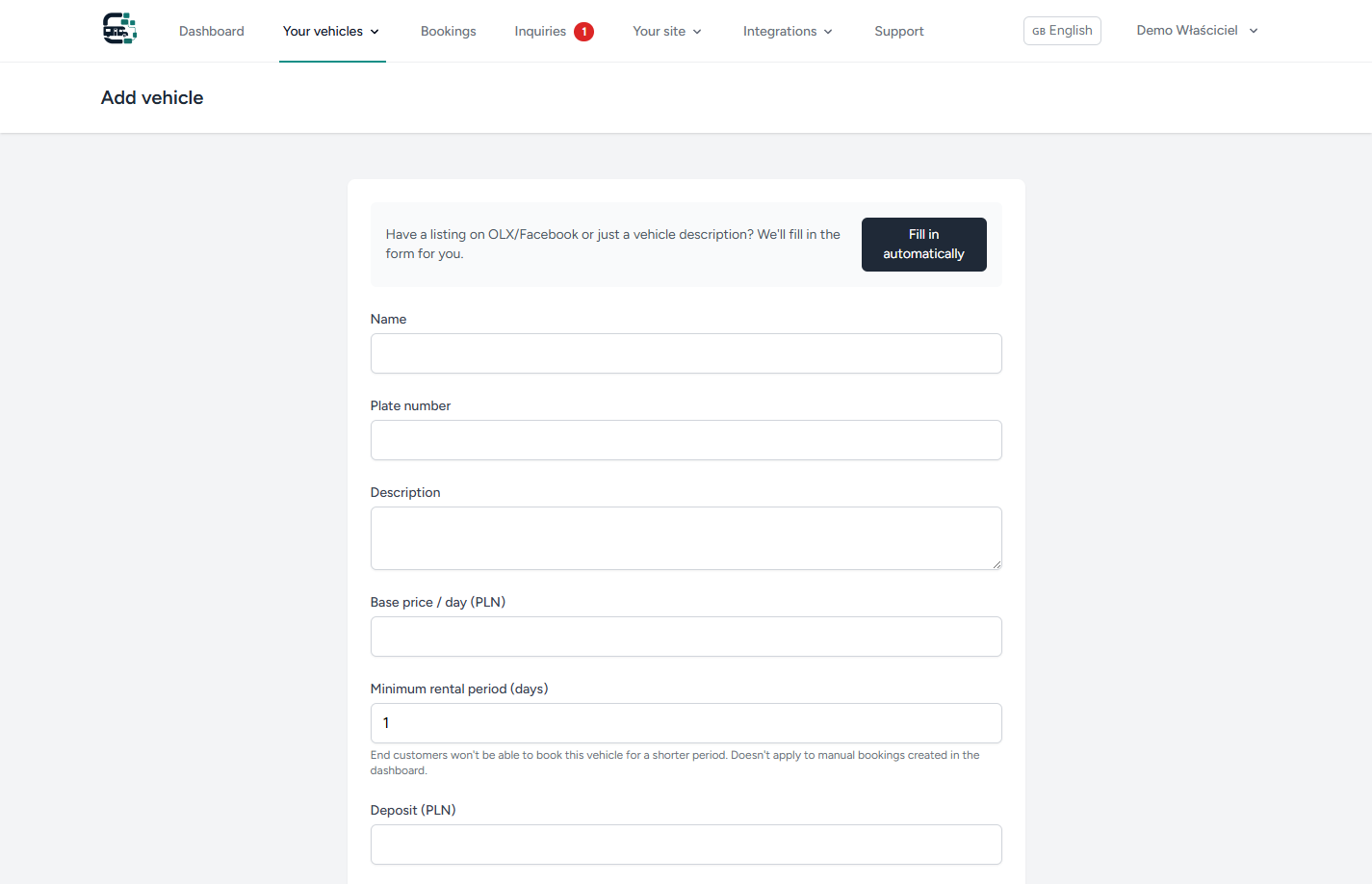
You paste the link, and the vehicle form fills itself -
Set prices and extras. Seasons, minimum number of days, end cleaning, bike rack.
-
Connect payments. Stripe, so that deposits and fees go to your account. What data Stripe will ask for depends on your type of business, and the whole process is handled by them.
-
Publish the page. Choose a logo and colors, add your listing and social media links.
-
Accept bookings. The client pays a deposit, accepts the contract, and you receive a notification.
-
Issue and collect the camper. You fill in the protocol in the panel, with photos.
How Much Time Does It Really Take
The initial setup usually takes a few hours, and only after that does renting take up time mainly for the checkout and pickup of the camper. The rest, such as confirmations, reminders about the deadline, and pre-departure instructions, are sent automatically.
Is it worth it for a few rentals a year
Calculate it for yourself using the camper rental calculator — with prices from ads on Gumtree for a camper like yours. You can find sample calculations and the break-even threshold in the article Is your camper sitting in the parking lot? See how much you can earn from renting it out.
You don’t have to start on a large scale right away
You can rent out only in selected periods, for example in July and August, and only to the extent that is convenient for you. The calendar allows you to block any dates when you are going alone, as well as set a minimum number of days for rental.