Online RV Reservations: How It Works
A good booking process sells a camper even when you don't answer the phone. Here's how it looks in CamperFleet: first from the customer's perspective, then from yours.
Reservation through the customer's eyes
- Chooses a vehicle from the fleet page and opens its page with photos, equipment, and description.
- Selects a date in the availability calendar. Occupied days are disabled.
- Sees the price calculated for the selected dates: seasons, add-ons "included in the price" and mandatory fees.
- Adds options: bedding, bike rack, camping kit.
- Provides data and accepts the contract.
- Pays a deposit by card or chooses traditional bank transfer.
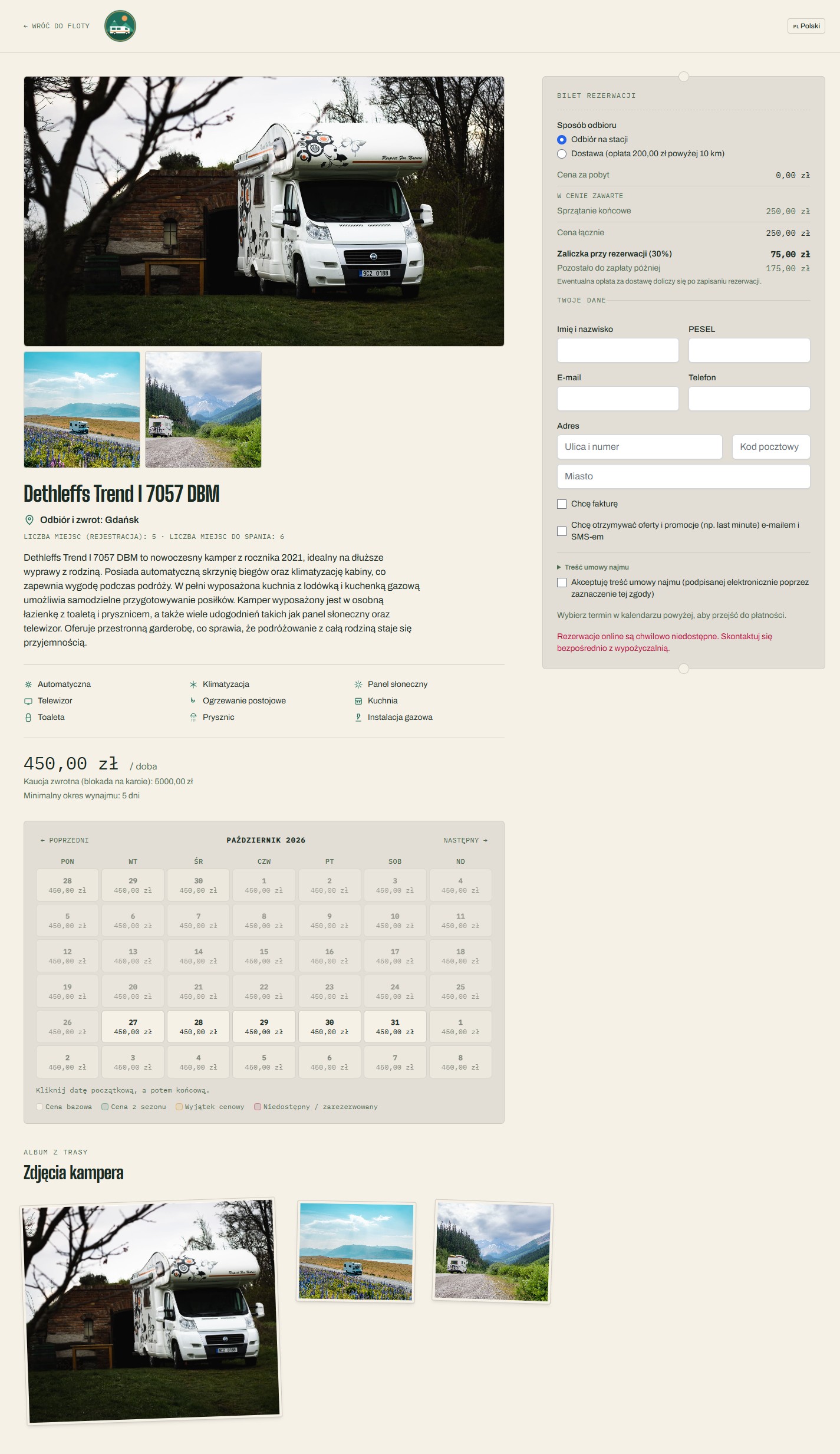
The whole process works on a mobile phone and does not require creating an account. For payment, confirmation, and contract, the customer returns via a secure link with a long random token.
Booking from the Rental Perspective
In the panel, you see a list of reservations with statuses, and a monthly calendar on one screen. Own and external reservations have different colors, so you can immediately see where there are gaps.

Adding Reservations Manually
A client called? You add a reservation in the panel: vehicle, dates, client details, and options. The price is calculated the same way as online, and the client receives a link for payment and a contract.
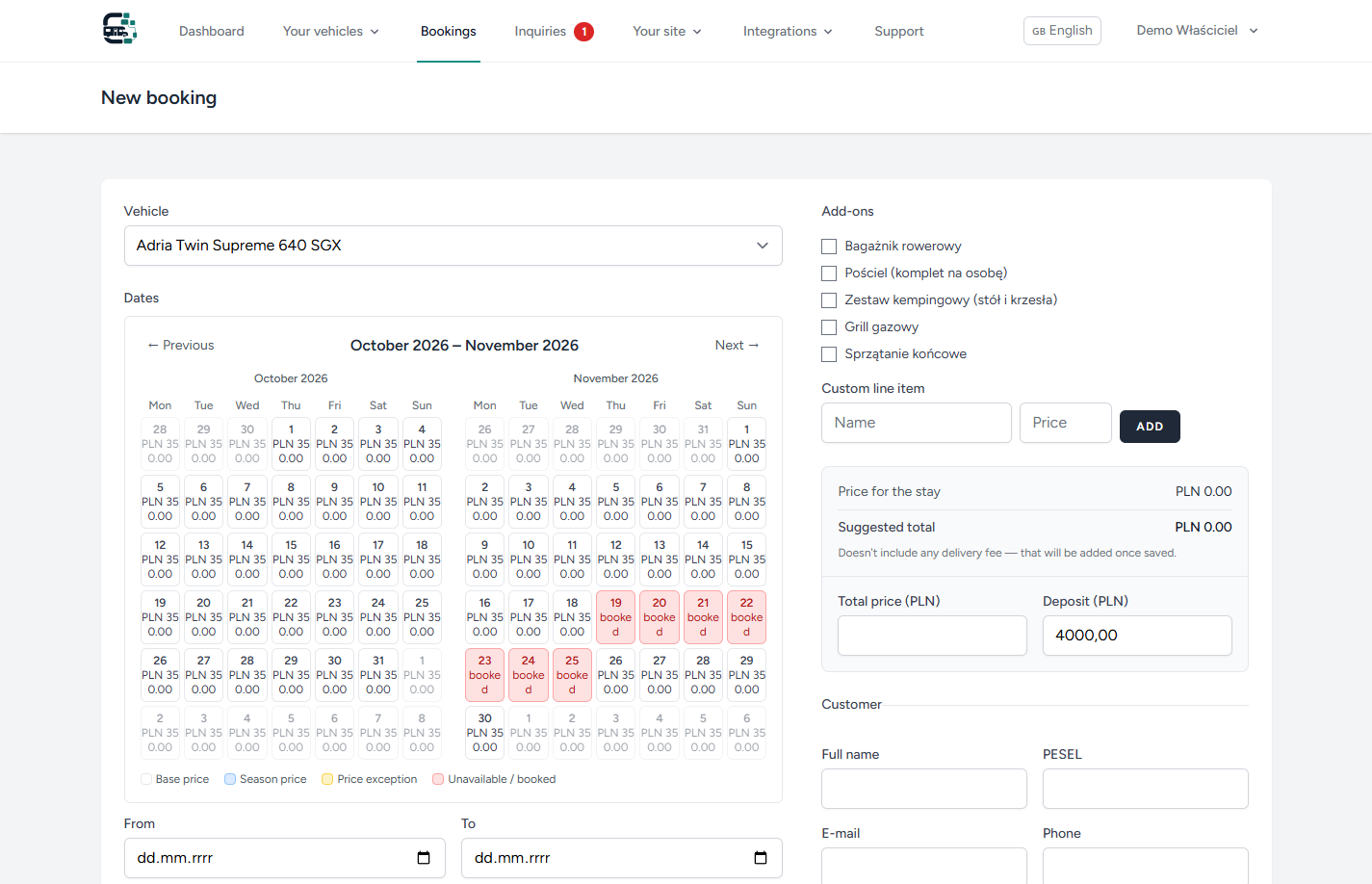
Availability Blocks
Service, inspection, or your own trip are blocks that remove the date from the offer. You don't need to pretend that the camper is rented.
What Happens After Booking
After paying the deposit, the system sends a confirmation with the agreement, followed by reminders: 7 days, 5 days (preparation instructions for departure), and 2 days before the due date. You can edit the message templates in the panel.
Next steps: Deposit and Security Deposit and Rental Agreement and Handover Protocol.