Transfer your rental site without rewriting content
The most common fear when switching platforms is: "I have already put in a lot of work." There are texts, photos, descriptions of each camper, a pricing list with seasons, FAQs, and contact information, and rewriting all of this from scratch takes days of work. That’s why at CamperFleet you don’t start from an empty form. You provide the address of your current site, and the system recreates it by itself, along with the calendar, pricing, and online booking.
How it works
- You provide the address of your website and your email in the section "Already have a website? We'll transfer it for you" on the homepage.
- You confirm by email. Only after you click does the work begin, as building a preview costs money, so no one else can request it on your behalf.
- The system reads your website. It decides which subpages are important (fleet, pricing, about us, how to rent, rules, FAQ, contact, guides) and saves what it finds there. This is not instantaneous, so you will receive an email when the preview is ready.
- You view the preview at a private address. If you like it, you take it over as your own account using the second link from the same email.
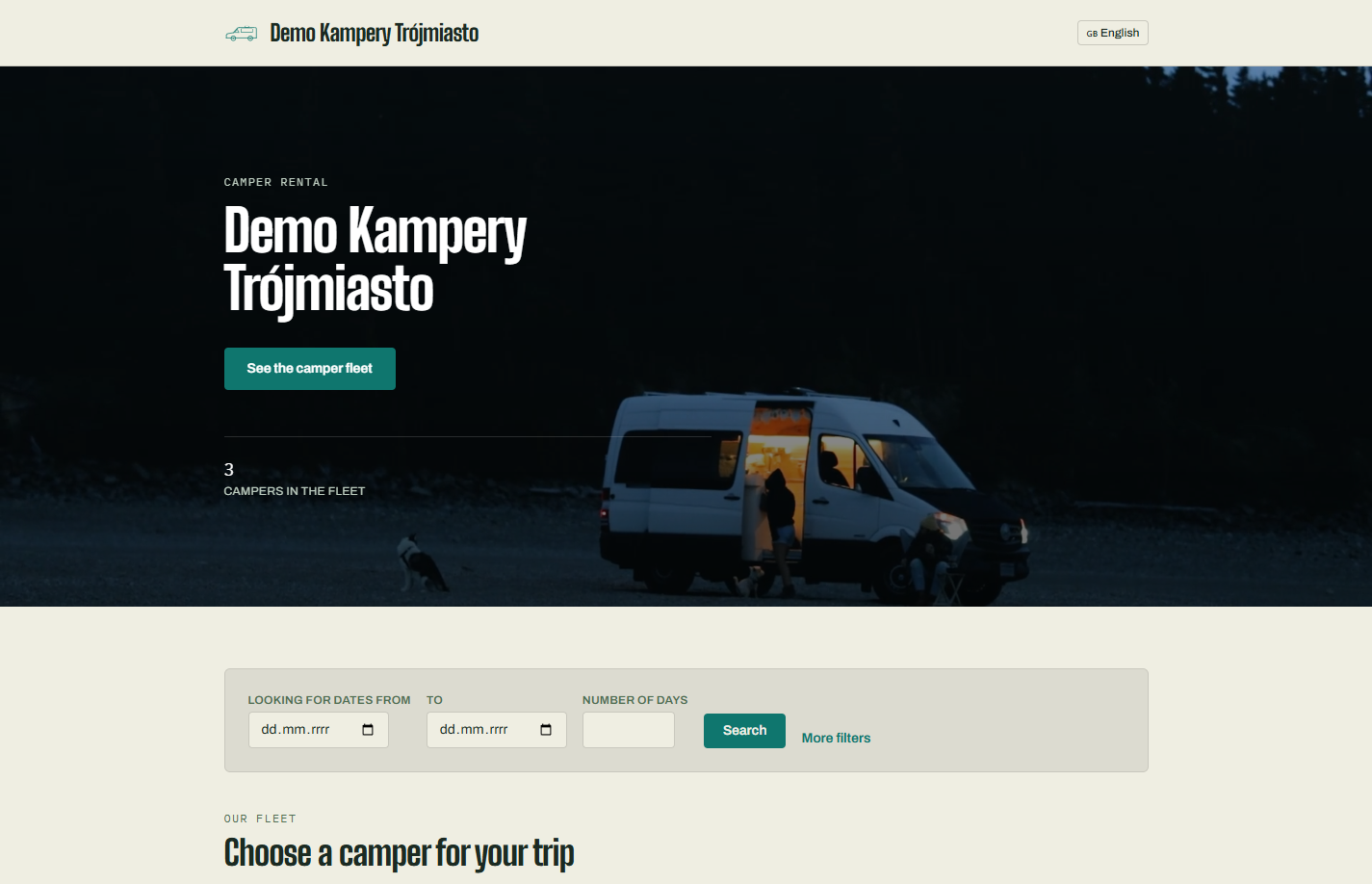
What is transferred
The machine replicates your website as accurately as possible: your texts, your prices, your photos, and your navigation structure.
- Company and contact: name, rental phone number, email, address, and "about us" text, as well as the logo, slogan, and image from the top section of the main page.
- Vehicles: each camper with descriptions, parameters, equipment, and photos. This works even when all vehicles are on one page and not each on a separate one.
- Price list: rates per day along with seasons and their dates, starting prices, deposit, and minimum rental period. The price list table on the page turns into a live table with prices in the system, while your text around it (rules, discounts, limits) remains.
- Additional options: paid add-ons such as bed linen, bike racks, or chairs.
- FAQ, reviews, and advantages: questions and answers, customer reviews that you publish on your website, and points from the "why us" section.
- Content subpages: "how to rent", terms and conditions, information before travel, guides, and routes.
- Videos and galleries: videos embedded on the site and photo galleries, meaning materials you have recorded yourself and which are worth keeping.
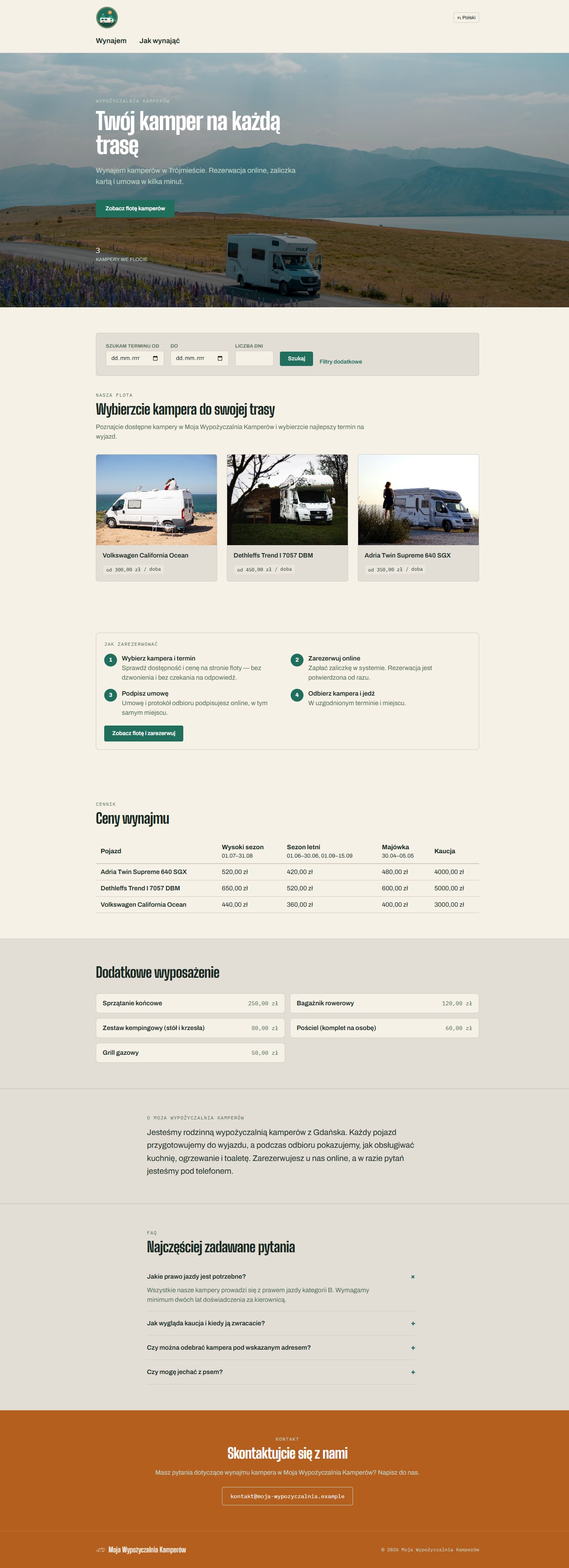
Texts are copied word for word, and vehicles and prices receive online booking. Thanks to this, you recognize your own website, not its simplified version.
No Fabrication
- What is not on your page will not be added. Every recorded text and every number is checked against what the bot actually read, and unsupported entries are rejected.
- It only reads your page and respects its
robots.txtfile (identifies itself asCamperFleetBot). - The preview is private: it has an unguessable address, is not indexed by search engines, expires after 30 days, and you can delete it with one click.
- Before publication, you check everything in the panel, as you are responsible for the content of your page.
From Preview to Real Account
In the email with the ready preview, there is a second link: "you will convert the same service into your account". The registration form will then be filled with what the system already knows (company name, email). After creating an account:
- everything remains: pages, vehicles, photos, logo, and colors, because it is the same service, just with your login,
- you choose your own address in our domain, and you can link your own domain later,
- you start with 3 months free, no card required,
- vehicles stop being "preview only", so reservations are enabled,
- you immediately land on the list of your vehicles, not on an empty form.
What to do after migration
The automation provides you with a ready-made base, and you refine it:
- Review vehicles, prices, and extras. Add what was missing on the site (e.g., deposit or delivery).
- Add portals if you are listing the camper there as well: change the email account on the portal to the CamperFleet address for that portal, and reservations from the portal will come automatically. You can also commission us for configuration. See How to avoid double bookings.
- Enter future reservations or block occupied dates in the calendar.
- Connect your own domain and change the link in the listings when the new site is ready.
What the automation won't do
- It won't transfer your booking history or customer database, as they are not on the site. There is also no bulk import of this data.
- It won't create content that you don't have. If you don't have FAQs or reviews, they won't appear in the preview.
- It won't replace your review. Very complex sites may require supplementation, as the automation has reading limits.
If you only have the camper in an advertisement, and not on your own site, you can instead paste a link to the advertisement from OLX or Facebook or the description itself. The system will fill in the vehicle form, and you will check it. See Camper advertisement on OLX with CamperFleet.